
Introduction
The Antidote API is organised around REST. The API has predictable URLs and makes proper use of HTTP methods (E.G GET, POST, PATCH, DELETE, PUTS) and status codes (E.G 200, 201, 204, 400, 403, 401...). It also supports cross-origin resource sharing (CORS) which allows you to use the browser to communicate directly and securely with the API without the need for a proxy.
The API has been broken down into three documents that you should read:
- Implementation Overview (this document)
- Basic overview of the Antidote API.
- UI / JS
- This document explains how to use the JS package and some notes regarding building your own UI.
- API
- This document explains all available endpoints in the API.
Implementation Methods
Managed UI
Overview
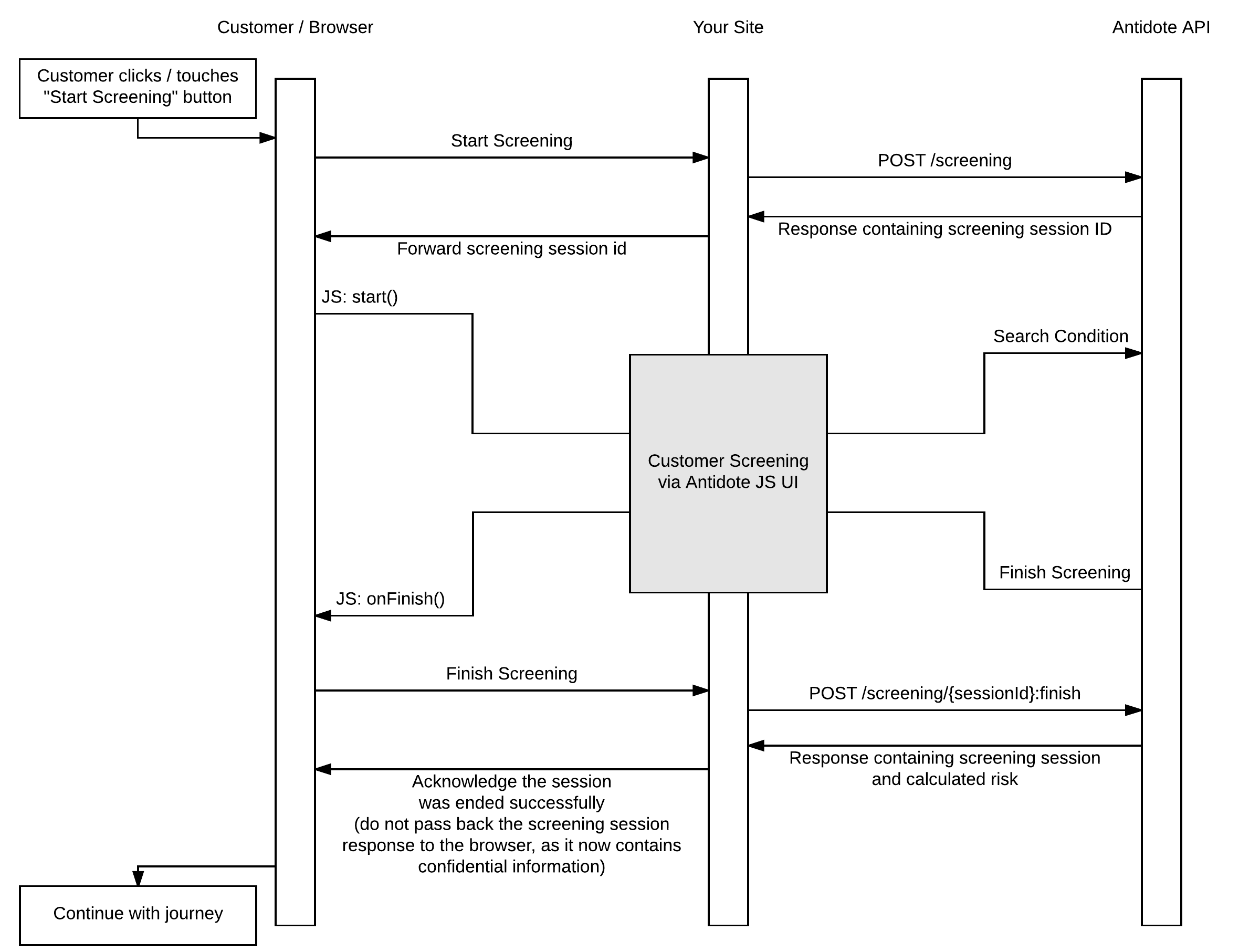
In this method, your service does not need to implement the user interface for your customer or call centre agent to perform their screening. The Antidote JS package will take care of the heavy lifting. It does not use iframes. The HTML and CSS are actually on your page which means you can manage the CSS locally on your site and just override the default styles.
Your implementation of the Antidote service will require the minimal amount of setup in your own app:
Server Side:
- An endpoint to request a screening session id (we recommend using an AJAX request).
- An endpoint to finish the screening process.
- Note: This endpoint must be responsible for saving the response of the output to your datastore.
Browser Side:
- Basic initiation of the JS package when on the page where you want to perform medical screening.
- A function to handle the user returning from the screening session and to call the finish screening endpoint.
- A click handler for a button to call the start screening endpoint and call the
startmethod in the api.
Process Flow
Unmanaged UI
Overview
There are any number of reasons why our Managed UI might not be for you. Such as:
- Form elements stand out from your normal site design
- Tighter control of the HTML in your page
- Interoperability Issues, in the rare chance you're unable to use our Managed UI because of a conflict in dependencies.
If this is the case then you can build your own UI for screening.
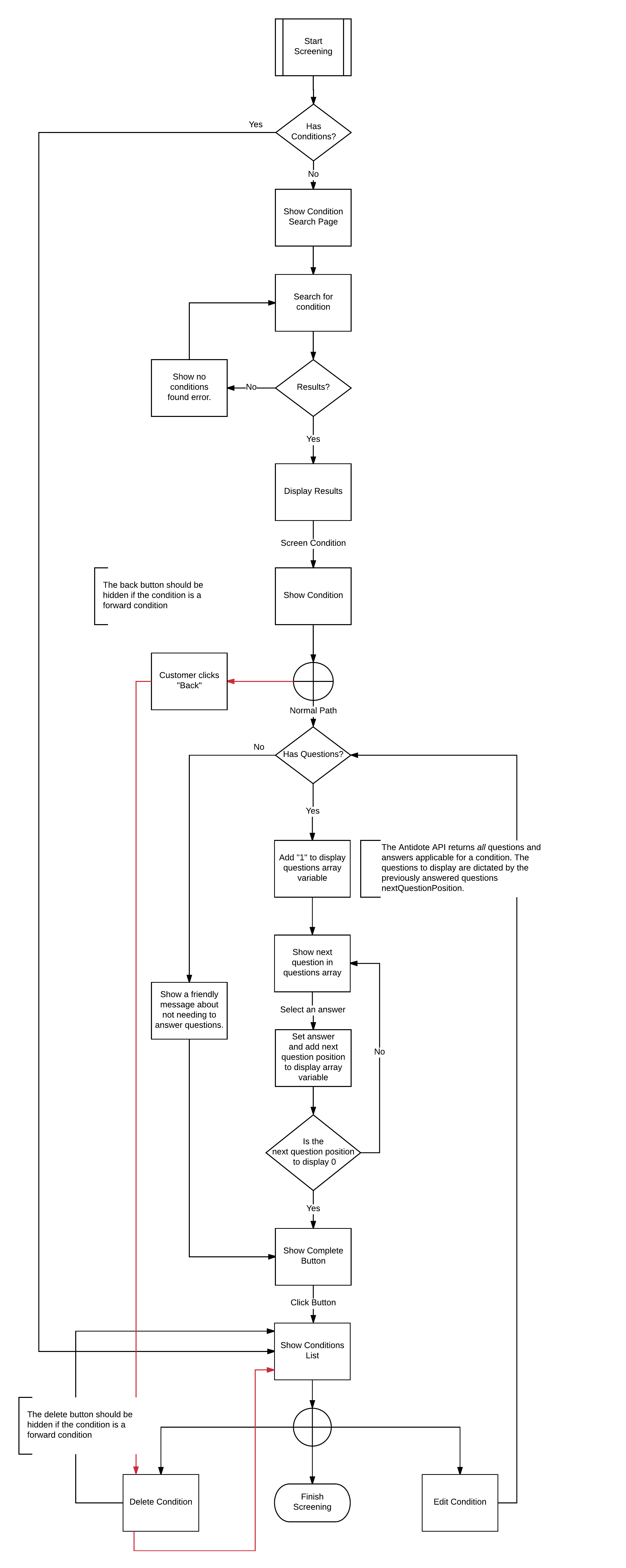
Process Flow
This describes how The Antidote Medical Screening UI works - it is expected that your own implementation will follow the same process.